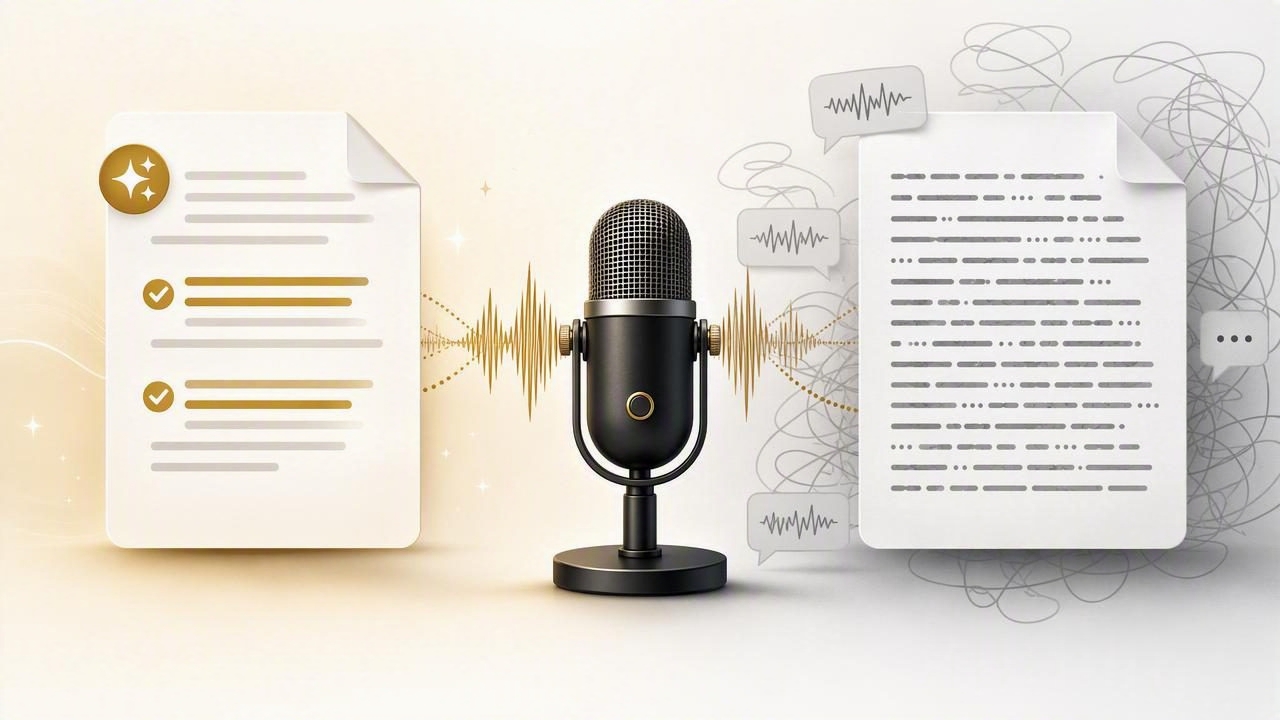
Voice dictation can save time when you need to capture an idea, write an email, outline a project, or draft a prompt. But spoken language rarely arrives in the polished form you would type. People pause, repeat themselves, change direction mid-sentence, and use filler words such as “um,” “you know,” or “basically.”
That creates an important choice: should you keep a literal voice transcript, or use AI cleanup to turn your spoken draft into clearer written text?
The best option depends on what you are dictating, how much precision the content requires, and whether you need to preserve the exact wording of what was said. Understanding AI cleanup versus literal voice transcript output helps you choose a workflow that is fast without making your text less reliable.
What is a literal voice transcript?
A literal voice transcript aims to convert speech into text as faithfully as possible. It generally retains the structure of the speaker’s phrasing, including repetitions, incomplete thoughts, informal transitions, and some filler language.
For example, imagine you say:
“I think we should, um, probably move the launch review to Thursday because, because the design team needs another day to check the mobile screens.”
A relatively literal transcript might read:
“I think we should probably move the launch review to Thursday because the design team needs another day to check the mobile screens.”
The transcription may remove obvious verbal noise, but it stays close to your original sentence. It does not attempt to decide whether “probably” should be removed, whether “launch review” should become “launch-readiness review,” or whether a second sentence would be easier to read.
This approach is useful when fidelity matters more than polish. You can see what you said, inspect it, and make editorial decisions yourself.
What does AI cleanup do?
AI cleanup goes beyond transcription. It uses context to improve the readability of dictated text. Depending on the settings and tool, cleanup may remove filler words, correct grammar, add punctuation, reorganize sentence structure, and convert a rough spoken thought into a more natural written draft.
Using the same hypothetical example, an AI-cleaned version could become:
“Move the launch review to Thursday so the design team has an additional day to review the mobile screens.”
The meaning is similar, but the wording is more concise and direct. That can be helpful for routine communication, especially when you want to dictate quickly into an active text field and spend less time editing.
However, cleanup is not the same as perfect understanding. It is an editorial layer, which means it can make choices about tone, structure, and phrasing. Those choices should be reviewed when the exact language matters.
AI cleanup versus literal voice transcript: the core difference
The simplest distinction is this: a literal transcript records your speech, while AI cleanup prepares your speech for reading.
| Factor | Literal voice transcript | AI cleanup |
|---|---|---|
| Primary goal | Preserve what was spoken | Improve readability and flow |
| Best for | Notes, evidence, technical details, first-pass capture | Emails, summaries, drafts, everyday messages |
| Editing needed | Usually more manual review | Usually less basic editing |
| Control over wording | High | Requires review of rewritten phrasing |
| Risk to watch | Messy or overly spoken text | Subtle changes in emphasis or meaning |
Neither output mode is universally better. The right choice is based on the consequences of getting a word, number, instruction, or tone wrong.
When to choose a literal transcript
Use a literal voice transcript when you need a dependable starting record before editing. This is especially valuable when your dictated content contains details that should not be smoothed over automatically.
1. Capturing raw ideas
Brainstorming is often nonlinear. You might say, “The article could start with the problem, wait, maybe start with the customer story instead.” A literal transcript preserves both ideas, allowing you to decide later which direction is best.
For creative work, raw language can also reveal useful phrases you would not have typed. A cleaned version may be elegant, but it can remove the energy of an initial idea.
2. Recording technical details
Code references, product names, file paths, version numbers, commands, measurements, dates, and account identifiers deserve careful review. AI cleanup may improve sentence grammar, but it cannot verify whether the spoken detail itself was correct.
For example, say you dictate:
Change the API timeout from 30 seconds to 60 seconds in config dot production dot json.Before using that instruction, confirm every number and filename. A literal transcript provides a closer comparison to what you said; cleanup can still be useful afterward, but it should not replace validation.
3. Preparing sensitive or high-stakes messages
Contracts, policy statements, medical information, legal communications, financial instructions, and commitments to clients all require deliberate review. In these situations, dictate a rough draft if that is faster, but do not treat either transcription style as final approval.
Literal output is often the safer first step because it makes your original wording easier to inspect before you revise for clarity and tone.
When AI cleanup is the better option
AI cleanup is most valuable when the goal is to produce a readable first draft quickly. It helps reduce the gap between natural speech and professional writing.
1. Writing routine emails
Many work emails do not require a word-for-word record of your speech. If you are dictating a project update, a follow-up question, or a friendly reply, cleanup can remove verbal detours and make the message easier to scan.
For instance, a spoken draft such as “Hey, just wanted to check if you had a chance to look at that proposal, and if not, no problem” could become a concise written follow-up. You should still read it before sending, particularly if tone matters.
2. Turning notes into an outline
When you dictate a plan while walking or between tasks, your thoughts may arrive out of order. Cleanup can make that material more usable by improving punctuation and separating ideas into clearer sentences.
A practical approach is to dictate in short sections: objective, audience, key points, next step. Even an AI-cleaned draft works better when your spoken input has a basic structure.
3. Drafting AI prompts
Prompts often benefit from direct instructions, clear constraints, and specific output formats. Cleanup can reduce conversational filler, but you should check that it has not removed an important constraint such as “do not use external sources” or “return the result as a table.”
For a practical workflow, review this guide on how to dictate AI prompts before using dictation for longer instructions.
A practical decision framework
Before choosing cleanup or literal transcription, ask three questions:
- Does every word need to reflect what I said? If yes, start with literal transcription.
- Is the text meant to be read by someone else immediately? If yes, cleanup may save editing time.
- Could a changed number, name, instruction, or commitment cause a problem? If yes, review manually regardless of mode.
You can also use a two-pass workflow: capture with a literal transcript, then apply editing judgment yourself. This is useful for technical notes, detailed client messages, or content that will be reused later.
How to get better results from either mode
Your speaking habits influence the quality of both literal and cleaned text. You do not need to speak like a newsreader, but a few adjustments make a meaningful difference.
- Dictate one idea at a time. Shorter thoughts are easier to transcribe and clean accurately.
- State punctuation when needed. Say “new paragraph,” “comma,” or “question mark” for structured content.
- Pause before numbers and names. Then inspect them after transcription.
- Say the intended format aloud. For example: “Three bullet points” or “subject line followed by email body.”
- Review before sending or pasting sensitive text. Cleanup improves drafts; it does not replace responsibility.
A useful troubleshooting detail: if cleanup repeatedly changes a specialized product term, acronym, or person’s name, add that term to custom vocabulary when your dictation tool supports it. This improves recognition at the source and reduces the need for repeated corrections afterward.
Why review still matters
AI cleanup can make dictation feel almost effortless, but fast text is not automatically final text. Read the result with the recipient and purpose in mind. Check facts, dates, quantities, links, proper nouns, and promises. If you are dictating a prompt, confirm that the final wording still includes your required boundaries.
Use literal transcription when you need a record. Use AI cleanup when you need a draft. Use review when the text needs to be trusted.
This balanced approach gives you the speed of voice input without giving up control over your writing.
Choose the mode that fits the moment
The decision between AI cleanup versus literal voice transcript is not a permanent setting. Switch based on the task. Keep your raw thoughts when discovery and accuracy are the priority. Use cleanup when you want a cleaner draft for everyday communication. In both cases, a quick final read is the habit that protects quality.
If you want to try a push-to-talk workflow that can transcribe into the field you are already using, you can download Dictámelo for Mac or Windows.